Type a broad question into an AI search experience and the answer you see is rarely the result of a single search. Behind the scenes, the system may split your question into several smaller ones, run them at the same time, and combine what comes back. That technique is called query fan-out, and it changes how you should plan content: the question a person types is only the starting point, not the full list of things your page needs to answer.
This guide explains what query fan-out is, what Google has actually said about it, how the process works step by step, and what you can reasonably do about it. It also separates what is documented from what is practitioner opinion, because this is a topic where many confident claims have no source behind them.
Key takeaways
- Query fan-out means a search system turns one question into several related sub-searches and uses the combined results to build an answer. Google says AI Overviews and AI Mode may use it.
- The actual sub-queries are not published, so any fan-out map you build is a research hypothesis, not a copy of what Google runs.
- The practical lesson is coverage: a page that answers the obvious follow-up questions on a topic is more useful, and has more chances to be retrieved, than one that answers only the headline query.
- Google states that no extra requirements or special optimisation are needed for AI Overviews and AI Mode, and that normal SEO fundamentals still apply.
- You can test the idea cheaply: expand one existing page, track it against similar pages you leave alone, and review the data after six to eight weeks.
How to read the evidence in this guide
AI search is full of terms that sound official but are not. Throughout this article we separate four kinds of claim:
- Official documentation: stated by Google or another search provider in its own documentation.
- Established technical concept: well known in information retrieval, independent of any one search engine.
- Practitioner convention: a method SEOs use that is useful but not documented as how a search engine works.
- Hypothesis: a reasonable idea that has not been verified.
What Is Query Fan-Out?
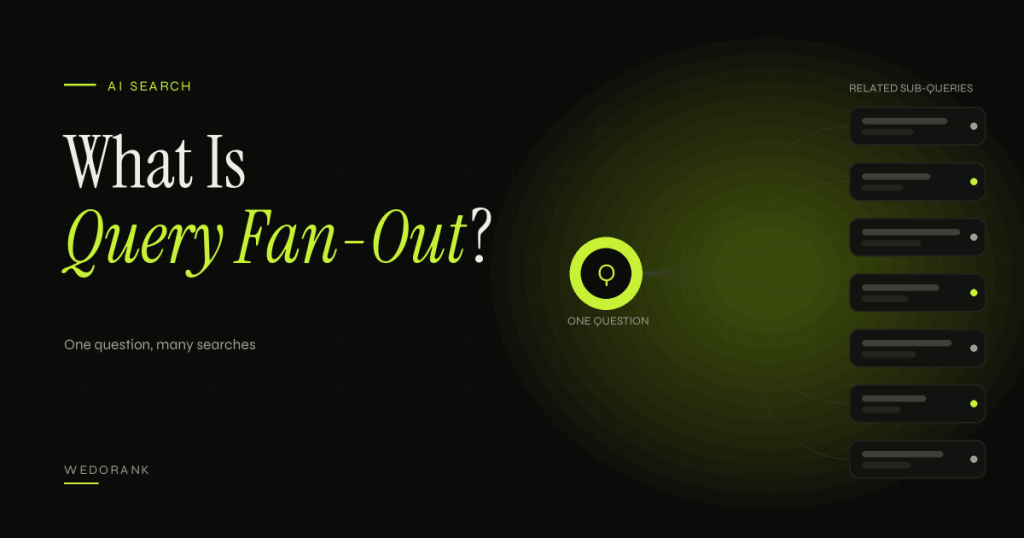
Query fan-out is a technique in which a search or answer system takes one user query, generates several related queries about its subtopics, searches for each, and uses the pooled results to compose a response. The word “fan-out” describes the shape: one query at the top, many queries spreading out beneath it.
Google describes it in its guidance for site owners. According to that documentation, both AI Overviews and AI Mode may use a query fan-out technique, issuing multiple related searches across subtopics and data sources to develop a response. Google also notes that the two features may use different models and techniques, so the responses and links they show will vary. (Official documentation.)
Why this matters to site owners
A traditional search result matches one query to a ranked list of pages. An AI-generated answer is assembled from several retrievals. That means a page can be pulled in because it answers one part of the question well, even if it was never the top result for the exact phrase the user typed. It also means a page that answers only the headline query and nothing around it may be skipped in favour of pages that cover the supporting questions.
Who should care most: content strategists planning clusters, SEO consultants advising on content briefs, and any business whose buyers ask multi-part questions, such as comparisons, costs, requirements and risks. If your customers research before they buy, they are already asking fan-out style questions.
How it relates to other terms
Several nearby concepts are easy to confuse with fan-out:
- Query expansion adds related words or phrases to a query to improve recall. It is a long-established information retrieval idea. Fan-out is closer to decomposition, because it creates distinct sub-questions rather than only adding synonyms, although the terms overlap in practice and there is no standard definition.
- Query understanding is the wider process of working out what a person means, including intent, entities and context. Fan-out is one possible step that follows it.
- Retrieval-augmented generation (RAG) is a general AI design in which a model retrieves documents and uses them to ground its answer. Google’s documentation links fan-out with this retrieval idea, but RAG is a broader engineering pattern. See our guide to RAG for SEO professionals.
- Keyword clustering groups existing keywords by similarity. It is a planning method you control. Fan-out is a behaviour of a search system you do not control.
How Query Fan-Out Works
Google has not published the internal steps, so what follows is a simplified model built from the official description and from general information retrieval practice. Treat it as a way to reason about the process, not as a specification.
- The user asks a question. It may be long, conversational or contain several needs in one sentence, for example a comparison with a constraint attached.
- The system interprets it. It works out the likely intent, the entities involved (products, places, people, concepts) and what kind of answer is needed. (Established concept.)
- It generates related sub-queries. The model creates a set of narrower searches covering subtopics: definitions, options, costs, pros and cons, requirements, alternatives and so on. (Official documentation says related searches across subtopics are issued; the precise queries are not disclosed.)
- It retrieves in parallel. Each sub-query is searched at the same time across one or more data sources. Google refers to multiple data sources, which can include the web index and other structured sources. (Official documentation, high level only.)
- It selects and combines evidence. From everything retrieved, the system picks material it considers relevant and reliable and uses it to write an answer. The exact selection criteria are not published.
- It shows supporting links. The response surfaces links to help people explore further. Google says a page must be indexed and eligible to be shown in Search with a snippet to be a supporting link. (Official documentation.)
| Stage | What happens | What it means for your content | Evidence status |
|---|---|---|---|
| Interpret | Intent and entities are identified | Be explicit about who the page is for and what it covers | Established concept |
| Decompose | Related sub-queries are generated | Anticipate the follow-up questions, not just the headline query | Official (high level) |
| Retrieve | Each sub-query is searched across sources | Make sure each useful section can stand on its own | Official (high level) |
| Select | Relevant evidence is chosen | Provide specific, verifiable answers rather than vague summaries | Hypothesis for exact criteria |
| Present | Answer and supporting links are shown | Stay indexable and snippet-eligible | Official documentation |
What nobody outside Google can see
The generated sub-queries are not available to site owners. Some third-party tools claim to reveal them, but at best they are estimating by running prompts and observing results. Any claim that someone has “the” fan-out queries for a given search should be treated with caution.
A Real-World Example
We will use two examples: one from Google’s own guidance, and one that is clearly labelled as illustrative.
Example 1: Google’s documented illustration
Google’s guidance on generative AI features illustrates the idea with a lawn-care question about fixing a lawn full of weeds. Its example shows how the question can break into narrower searches about suitable herbicides, removing weeds without chemicals, and preventing weeds from returning. (Source: Google’s guide to optimizing for generative AI features, which uses this lawn-care example.) The point of the example is not those exact queries. It shows that one practical question contains several distinct information needs.
Example 2: An illustrative fan-out for a WeDoRank topic
This is a hypothesis we constructed to show the method. It is not Google’s fan-out and not data from any real client.
Suppose a UK agency owner asks: “Is white label SEO worth it for a small agency?” A reasonable hypothesis is that a system answering this might explore sub-questions like these, and we can map each one to content:
| Hypothesised sub-question | Reader intent | Where it is answered |
|---|---|---|
| What is white label SEO? | Definition | Opening section of the white label SEO guide |
| How much does white label SEO cost? | Pricing | Pricing section of the guide, plus SEO pricing guide |
| What are the risks of reselling SEO? | Risk and quality control | Risk table in the guide |
| How do you report results to your own clients? | Process | SEO ROI and revenue reporting |
| White label vs hiring in-house? | Comparison | Comparison section of the guide |
The exercise reveals two things. First, most sub-questions are already answered across existing pages, so the job is improving coverage and linking, not creating five new pages. Second, any gaps are visible: if “how do I vet a provider” had no answer anywhere, that would be a genuine content gap worth filling.
Implementation Steps: Apply Fan-Out Thinking to Your Content
This is the quick method, which takes about an hour per page. For the full worksheet and prompt template, see our guide to building a query fan-out map.
- Choose a page that already has impressions. In Google Search Console, open Performance, filter to one page and note the queries it already appears for. Pages with some existing visibility are better candidates than brand-new ones.
- Write the main question and the reader’s real goal. One sentence each. Example: question “is white label SEO worth it”, goal “decide whether to resell SEO without hurting client results”.
- Collect candidate sub-questions from several sources. Use search autocomplete, “People also ask” boxes, related searches at the bottom of the results page, the queries already shown in Search Console, and real questions from sales calls or support emails. Record the source of each.
- Group them by intent. Typical groups are definition, cost, comparison, process, risk, requirements and alternatives. Merge near-duplicates. Aim for five to ten groups, not fifty questions.
- Decide where each group is answered. Three options: answer inside the current page, link to an existing page that already handles it, or create a new page only when the intent is distinct and deserves its own depth. Check your URL inventory first so you do not create a competing page.
- Write a direct, self-contained answer for each group. Put the answer in the first one or two sentences of the section, then add detail. This makes each section usable on its own.
- Add evidence. A specific example, a documented source or your own method. Avoid generic summaries that could appear on any site.
- Link sensibly. Use descriptive anchors to the pages that go deeper. Google’s guidance specifically mentions making content easy to find through internal links.
- Check eligibility. Confirm the page is indexed and has no snippet restrictions such as nosnippet or overly tight preview limits.
- Record a baseline and a review date before publishing the update (see the experiment below).
Worksheet template
| Sub-question | Intent group | Source | Answered where | Evidence needed | Status |
|---|---|---|---|---|---|
| How much does it cost? | Cost | People also ask | New section on this page | Pricing ranges from a documented source or your own rate card | To write |
Free Tools You Can Use
Free tools and their limits change, so check current terms before relying on them.
| Tool | Use | Limits and checks |
|---|---|---|
| Google Search (autocomplete, People also ask, related searches) | Discover how people phrase follow-up questions | Results vary by location, time and personalisation. Note the date and locale when you record them. |
| Google Search Console | See queries and pages that already get impressions | Not every query is shown, and average position is aggregated. Data is kept for a limited window, so export what you need. |
| Search Console generative AI report | Impressions for your pages in AI Overviews and AI Mode | Google’s launch announcement describes impressions, pages, devices and dates only, not clicks. |
| Google Trends | Compare relative interest and seasonality | Shows a relative index, not search volume. |
| Google Sheets | Build and share the fan-out worksheet | Needs consistent data entry. |
| An AI assistant such as Claude | Brainstorm sub-questions and group them by intent | Outputs are hypotheses, not Google’s queries. Free usage limits apply and facts must be verified. |
Limitations, Misconceptions and Evidence Status
- You cannot see the real sub-queries. A fan-out map is an informed guess. Its value is that it improves topic coverage, not that it reproduces Google’s system.
- It is not a ranking factor you can switch on. Google says no additional requirements or special optimisation are needed for AI Overviews and AI Mode, and that existing SEO fundamentals still apply.
- One page per sub-query is usually the wrong move. Creating many thin pages for every imagined sub-question risks duplication and cannibalisation. Cover related questions in one thorough page where the intent is shared, and split only when intent genuinely differs.
- AI Overviews and AI Mode are not identical. Google says they may use different models and techniques, so results and links differ. A pattern observed in one cannot be assumed for the other.
- Results vary between runs. The same prompt can produce different answers on different days, so single observations prove little.
- Being retrieved is not the same as being cited or clicked. A page can inform an answer without receiving a visible link or a visit.
- Broader coverage can dilute a page. Adding tangents makes a page longer, not better. Add only questions the reader genuinely needs answered next.
What Google Says About Query Fan-Out
Google’s official guide, Optimizing your website for generative AI features on Google Search, defines query fan-out as a set of concurrent, related queries generated by the model to request more information and fetch additional relevant search results, and it gives the lawn-care example used earlier in this article. It describes fan-out alongside retrieval-augmented generation (RAG): Google’s core ranking systems retrieve relevant, up-to-date pages from the Search index, and the AI features then generate a response with links to supporting pages. In other words, fan-out decides what to look up, and the pages found come from the same index and ranking systems as ordinary Search. (Official documentation.)
Two practical points follow. First, Google warns that creating separate pages for every possible query variation, including fan-out queries, primarily to manipulate rankings or AI responses violates its scaled content abuse spam policy and is an ineffective long-term strategy. A fan-out map should help you cover a topic well on the pages you have, not justify mass-producing pages. Second, eligibility still depends on the basics: the page must be indexed and eligible to be shown with a snippet, and the site must be included in the Search generative AI control in Search Console, which is the default setting.
A Measurable Experiment
Hypothesis (unverified): Expanding an existing page so that it answers its five most important related questions will increase impressions for the page’s non-brand queries compared with similar pages that are not changed.
Method
- Select pages. Choose six to ten pages of similar type and age that already receive impressions. Split them into a treatment group and a control group, matching by topic and traffic level as closely as possible. With a small site you may only manage three and three; say so in your write-up.
- Record the baseline. Export Search Console data for each page for the previous 28 days, ideally eight weeks, covering clicks, impressions, average position and the number of distinct queries. Save the export and note the date range.
- Apply the change to the treatment pages only. Add sections that answer the grouped sub-questions, following the steps above. Log exactly what changed and on what date.
- Leave the control pages alone. Do not touch their content or internal links during the test.
- Observe for six to eight weeks. Allow time for recrawling and reindexing before judging.
- Compare against the prior period and against the controls. Look at impressions, distinct queries and clicks per page.
Metrics
| Type | Metric | Source |
|---|---|---|
| Primary | Impressions for non-brand queries per page | Search Console |
| Primary | Number of distinct queries per page | Search Console |
| Secondary | Clicks and click-through rate | Search Console |
| Secondary | Impressions in generative AI features, if available | Search Console generative AI report |
| Observation only | Whether the page is cited for a fixed set of prompts | Manual log: platform, prompt, date, cited URLs |
| Guardrail | Engagement and conversions on treated pages | GA4 |
Confounders and how to interpret the result
Seasonality, algorithm updates, new backlinks, indexing delays and a small sample can all move the numbers independently of your change. If treatment pages outperform controls and the difference is large relative to normal week-to-week variation, that is encouraging evidence, not proof. If there is no difference, the test is still useful: it tells you this change was not the lever for those pages. Do not claim causation from a single small test, and do not describe results as a ranking effect.
Fan-Out Across Different Query Types
The shape of a fan-out depends on what the person is trying to do. The table below is our hypothesis, built from how people research decisions, not a description of Google’s internal behaviour. Use it as a prompt for your own thinking, then check it against live results.
| Query type | Example | Sub-questions likely to matter | Content implication |
|---|---|---|---|
| Informational | how does a 301 redirect work | Definition, when to use, how to set up, common errors, how long it takes to be processed | One thorough guide with clear sections and a worked example |
| Comparison | white label SEO vs in-house team | Costs, quality control, speed, scalability, risks, who each suits | A comparison table with explicit decision criteria |
| Selection | how to choose an SEO agency | Criteria, red flags, questions to ask, pricing models, contract terms | A checklist plus a link to pricing information |
| Problem-led | why did my traffic drop | Causes, how to diagnose, what to check first, how long recovery takes | A decision tree and a diagnostic sequence |
| Local or situational | SEO for a dental practice | Local factors, reviews, directories, compliance, seasonality | Sector-specific sections, not a generic overview |
Notice that the sub-questions in every row are about decisions and consequences, not just definitions. That is the practical insight: a reader who asks one question almost always has the next three already in mind.
Common Mistakes When Applying Fan-Out Thinking
- Treating a brainstorm as data. A list of plausible questions, whether from an assistant or a tool, is not evidence that anyone asks them. Validate against search results, Search Console and customer conversations.
- Creating one thin page per question. This is the most common failure. It spreads a small amount of depth across many pages and invites cannibalisation. Group by intent first.
- Padding the page with tangents. Coverage means answering what the reader needs next, not adding every related fact. If a section does not help the decision the reader is making, cut it.
- Ignoring the page that already ranks. Improving an existing page that already has impressions is usually cheaper and safer than starting a new one.
- Forgetting that retrieval needs eligibility. A page that is blocked, not indexed or restricted from snippets cannot be shown as a supporting link, however well it covers the topic.
- Reporting fan-out as a ranking factor. It is a description of how a system may explore a question. Writing “optimised for query fan-out” in a client report implies a control that does not exist.
Fan-Out Across Different Query Types
The shape of a fan-out depends on what the person is trying to do. The table below is our hypothesis, built from how people research decisions, not a description of Google’s internal behaviour. Use it as a prompt for your own thinking, then check it against live results.
| Query type | Example | Sub-questions likely to matter | Content implication |
|---|---|---|---|
| Informational | how does a 301 redirect work | Definition, when to use, how to set up, common errors, how long it takes to be processed | One thorough guide with clear sections and a worked example |
| Comparison | white label SEO vs in-house team | Costs, quality control, speed, scalability, risks, who each suits | A comparison table with explicit decision criteria |
| Selection | how to choose an SEO agency | Criteria, red flags, questions to ask, pricing models, contract terms | A checklist plus a link to pricing information |
| Problem-led | why did my traffic drop | Causes, how to diagnose, what to check first, how long recovery takes | A decision tree and a diagnostic sequence |
| Local or situational | SEO for a dental practice | Local factors, reviews, directories, compliance, seasonality | Sector-specific sections, not a generic overview |
Notice that the sub-questions in every row are about decisions and consequences, not just definitions. That is the practical insight: a reader who asks one question almost always has the next three already in mind.
Common Mistakes When Applying Fan-Out Thinking
- Treating a brainstorm as data. A list of plausible questions, whether from an assistant or a tool, is not evidence that anyone asks them. Validate against search results, Search Console and customer conversations.
- Creating one thin page per question. This is the most common failure. It spreads a small amount of depth across many pages and invites cannibalisation. Group by intent first.
- Padding the page with tangents. Coverage means answering what the reader needs next, not adding every related fact. If a section does not help the decision the reader is making, cut it.
- Ignoring the page that already ranks. Improving an existing page that already has impressions is usually cheaper and safer than starting a new one.
- Forgetting that retrieval needs eligibility. A page that is blocked, not indexed or restricted from snippets cannot be shown as a supporting link, however well it covers the topic.
- Reporting fan-out as a ranking factor. It is a description of how a system may explore a question. Writing “optimised for query fan-out” in a client report implies a control that does not exist.
Frequently Asked Questions
Is query fan-out the same as keyword clustering?
No. Keyword clustering is a planning technique you apply to your own keyword lists. Query fan-out is a behaviour of a search or answer system that generates related queries. A fan-out map borrows the thinking, but only as a hypothesis for planning.
Does Google publish the sub-queries it generates?
In the sources we reviewed, no. Google describes the technique in general terms but does not provide the generated queries to site owners. Treat tools that claim to show them as estimates.
Is query fan-out only used in AI Mode?
Google’s guidance says both AI Overviews and AI Mode may use it, and that the two may use different models and techniques.
Do I need special markup to benefit?
Google states there are no additional requirements to appear in AI Overviews or AI Mode. The page must be indexed and eligible to appear with a snippet. Structured data is still worthwhile for the usual reasons, but do not expect it to guarantee inclusion.
Should I create a new page for every related question?
Usually not. If related questions share the same intent, answer them in one thorough page. Create separate pages only when the intent differs enough to deserve its own depth, and check for overlap first.
How does this relate to RAG?
RAG is the general pattern of retrieving documents to ground a generated answer. Fan-out can be thought of as a way of deciding what to retrieve. Our RAG explainer covers the engineering side and what it does and does not tell us about SEO.
Sources and Further Reading
- Google Search Central: AI features and your website
- Google Search Central Blog: Introducing Search Generative AI performance reports in Search Console (3 June 2026)
- Google Search Central: Optimizing your website for generative AI features on Google Search
Related reading
Next Step
If you want your existing pages reviewed for coverage gaps against the questions your buyers actually ask, request a free SEO audit. We will show you which pages to expand, which to leave alone and where a new page is genuinely justified.