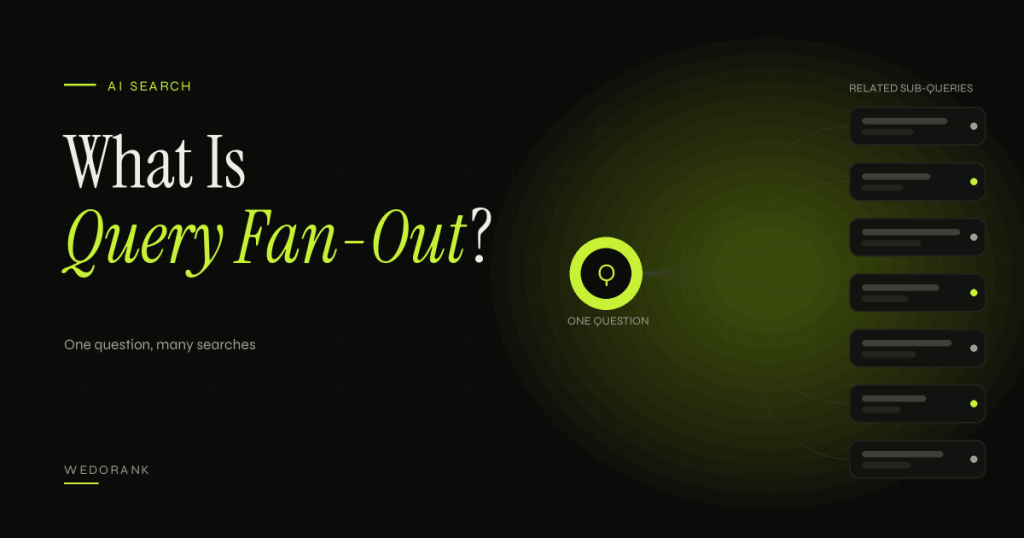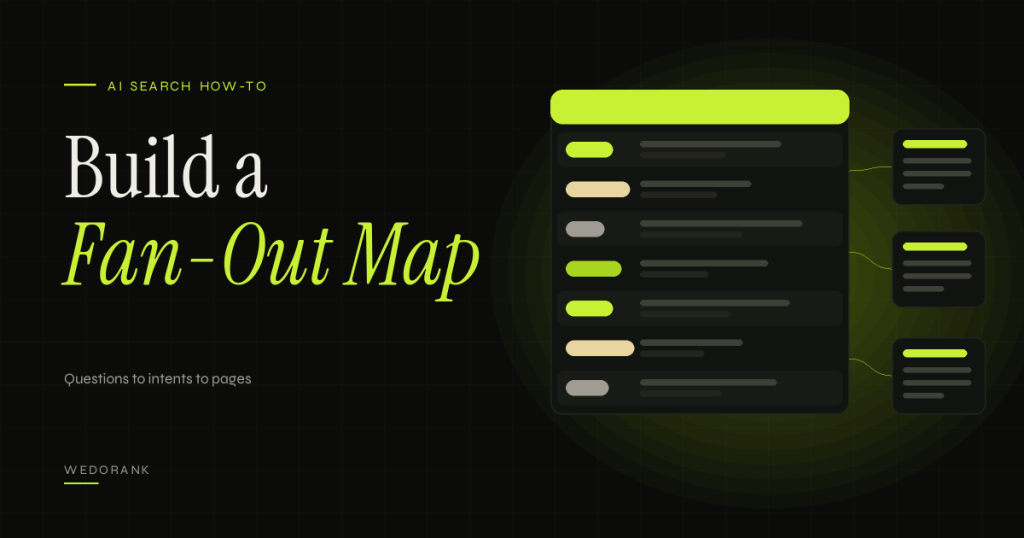
Most content plans start with a keyword list. That works when each keyword is a separate topic, but it breaks down when people ask broad, multi-part questions and AI search tools answer them by exploring several related questions at once. A query fan-out map is a simple planning document that helps you see those related questions before you write, so each page covers what the reader needs next and you avoid creating duplicate pages along the way.
This guide shows you how to build one from scratch with free tools, how to use an AI assistant safely as a brainstorming aid, how to decide which questions belong on which page, and how to test whether your map was any good. If you have not read it yet, start with our explainer on what query fan-out is, because this article assumes you know the concept.
Key takeaways
- A fan-out map is a research hypothesis, not a copy of any search engine’s internal queries. Its job is to improve coverage and planning.
- Build it from real signals first (search results, Search Console, customer questions) and use an AI assistant second, to extend and group what you found.
- For every sub-question, make one explicit decision: answer here, link to an existing page, create a new page, or skip it.
- Check your existing URLs before proposing anything new. Most maps reveal that you need better coverage on existing pages, not more pages.
- Test the map afterwards by comparing it with the queries your page actually earns in Search Console.
What Is a Query Fan-Out Map?
A query fan-out map is a structured table that starts with one broad query and branches into the sub-questions a reader or an AI system might explore next, grouped by intent and assigned to the page that should answer each one. It sits between keyword research and the content brief: keyword research tells you what people type, the map shows how those questions connect.
It is worth being clear about what it is not. It is not a list of the queries Google runs. Google has described query fan-out in general terms but does not publish the sub-queries, so every map is an informed guess. That is fine, as long as you treat it as one and test it. This follows the evidence rules we use across the site: official documentation, established concepts, practitioner conventions and hypotheses are kept separate.
How it differs from related planning tools
- Keyword list: a flat inventory of phrases. A map adds structure, intent and page assignment.
- Keyword clustering: groups similar keywords. A map groups questions by what the reader needs to know next, which can include terms that share no words.
- Topic cluster: a site architecture of a pillar and supporting pages. A map is one input to deciding what the cluster should contain.
- Topical map: a broad plan for an entire subject area. A fan-out map is narrower, usually built for one page or one cluster.
How a Fan-Out Map Works
The map has four layers, and each layer answers a different planning question.
- Main query. The broad question that starts the journey, for example “how do I choose a white label SEO provider?”
- Intent groups. The kinds of information the reader needs: definition, cost, comparison, process, risk, requirements, alternatives, next steps.
- Sub-questions. The specific questions inside each group, written the way a person would ask them.
- Page assignment. A decision for each sub-question: answered on the main page, answered on an existing page, answered on a new page, or deliberately left out.
The loop that makes the map useful is validation. You gather questions from real signals, group and assign them, publish or update, and later compare the map with what happens in Search Console. The differences teach you what you missed and which assumptions to drop.
| Layer | Planning question | Typical output |
|---|---|---|
| Main query | What is the reader trying to achieve? | One question plus a one-sentence goal |
| Intent groups | What kinds of information do they need? | 5 to 10 labelled groups |
| Sub-questions | What exactly will they ask? | 15 to 40 questions with sources |
| Page assignment | Where does each answer live? | Answer here / link / new page / skip |
A Real-World Example
This example is illustrative. It shows the method using a topic WeDoRank covers. The questions are our hypotheses, not Google data, and no client results are implied.
Main query: how to choose a white label SEO provider. Reader goal: an agency owner wants to resell SEO without damaging client results or margins.
| Intent group | Sub-question (hypothesis) | Source type | Decision | Where |
|---|---|---|---|---|
| Definition | What does white label SEO include? | Autocomplete | Link | White label SEO guide |
| Cost | How much should white label SEO cost per client? | People also ask | Link | SEO pricing guide |
| Risk | How do I stop a provider using risky link tactics? | Sales call question | Answer here | New section: vetting checklist |
| Risk | What happens if the provider misses a deadline? | Sales call question | Answer here | New section: service levels |
| Process | What reporting should I get to show my client? | Related search | Link | SEO ROI and revenue reporting |
| Comparison | White label vs hiring in-house? | Autocomplete | Link | White label SEO guide |
| Requirements | Do I need to tell clients I use a partner? | Sales call question | Answer here | New short section |
| Alternatives | White label vs referral partnerships? | Brainstorm | Skip for now | Low intent fit, low evidence |
| Next steps | How do I trial a provider safely? | Brainstorm | Answer here | New section: pilot approach |
Three things stand out. Four of the nine questions are already answered elsewhere, so linking is the right action. Four are genuine gaps that belong as new sections on the main page. One is dropped because it has weak intent fit. No new URL was needed, which is the outcome you should expect from most maps.
Implementation Steps
- Check existing URLs first. List the pages you already have on this topic, with their primary query. If you use a content tracker, filter it by pillar. The aim is one primary URL per intent.
- Define the main query and goal. Write the broad question and one sentence about what the reader wants to achieve.
- Gather real questions. Run the query in Google and note autocomplete suggestions, “People also ask” questions and related searches. Record the date and locale, because results vary.
- Add your own data. If the page already exists, export its queries from Search Console. Add questions from sales calls, support emails and chat transcripts. These are often the most valuable because competitors cannot see them.
- Extend with an AI assistant, carefully. Give it the real questions you gathered and ask it to suggest missing ones and group them by intent. Label every AI-suggested item as a hypothesis (see the prompt below).
- Group by intent. Merge near-duplicates and name each group. Keep it to 5 to 10 groups so the plan stays usable.
- Score and prioritise. Rate each sub-question from 1 to 5 for reader importance and business relevance. Drop anything that scores low on both.
- Assign a page for each question. Choose answer here, link to an existing page, create a new page, or skip. Create a new page only when the intent is distinct and you can add real depth.
- Validate against live results. For questions you plan to give their own page, check that the results show a different kind of page from the main query. If the same pages rank for both, one URL is probably enough.
- Write the brief. Turn each “answer here” item into a section with a direct answer, evidence and an internal link to the deeper page.
- Log a baseline and a review date so you can run the experiment below.
A safe prompt for the AI-assisted step
Adapt this to your topic. It asks for hypotheses, forbids invented data and keeps your real inputs in control.
Main query: [QUERY]
Reader goal: [ONE SENTENCE]
Audience and knowledge level: [AUDIENCE]
Real questions I collected (autocomplete, PAA, Search Console, sales calls):
[PASTE LIST WITH SOURCES]
Existing WeDoRank URLs on this topic: [PASTE URL LIST]

Task:
1. Group my questions by intent. Name each group.
2. Suggest up to 10 additional sub-questions a reader might ask next. Mark each as HYPOTHESIS.
3. For each question, recommend: answer on the main page, link to an existing URL (only from my list), new page, or skip. Give a one-line reason.
4. Flag duplicates and any risk that a new page would compete with an existing URL.
Rules: do not invent search volumes, rankings, statistics, URLs or case studies. State that this map is a research hypothesis, not Google’s internal query set.
Free Tools
| Tool | Role in the map | Limits to check |
|---|---|---|
| Google Search | Autocomplete, People also ask and related searches | Varies by location and time. Record date and locale. |
| Google Search Console | Real queries a page already earns | Not all queries appear; average position is aggregated; export data before it ages out. |
| Google Trends | Compare phrasings and seasonality | Relative interest only, not search volume. |
| Google Sheets | The map itself: one row per sub-question | Needs consistent columns and a single owner. |
| Claude or another assistant | Group, extend and de-duplicate questions | Free usage limits apply. Outputs need verification. A chat interface is not the same as an API, and API use may cost money. |
Suggested sheet columns: Content ID, main query, intent group, sub-question, source, source date, importance (1 to 5), business relevance (1 to 5), decision, target URL, overlap risk, evidence needed, status, notes.
Limitations
- It is a hypothesis. A map cannot reproduce the sub-queries any search engine generates. Do not describe it as “what Google is searching”.
- AI assistants invent plausible questions. Real signals must lead. If a suggested question appears nowhere in your data or in live results, treat it as weak.
- Coverage is not rankings. A well-covered page is more useful, but no guarantee follows. Google states that no special optimisation is needed for its AI features and that normal SEO fundamentals apply.
- Maps go stale. Questions change as products, regulations and search features change. Review them when you refresh the page.
- Too many sections hurt readability. If a page becomes a long list of loosely related answers, split by intent or cut the weakest groups.
A Policy Check Before You Create Pages From Your Map
A fan-out map is a planning tool. Google’s guide to generative AI features says that creating separate content for every variation of how people might search, including fan-out queries, primarily to manipulate rankings or AI responses violates its scaled content abuse spam policy. Use the map to decide where each answer lives, and create a new page only when the intent genuinely differs and you can add real depth. See Google’s guide for the full wording.
A Measurable Experiment
Hypothesis (unverified): A fan-out map built from real signals will account for a majority of the queries the updated page later earns in Search Console, and the unmapped queries will show which kinds of questions the map misses.
- Baseline. Before updating, export 28 days (ideally 8 weeks) of Search Console data for the page: queries, clicks, impressions, average position. Save the file.
- Intervention. Update the page according to the map and log the date, the sections added and the links added.
- Observation window. Wait six to eight weeks.
- Export again for an equal period.
- Classify new queries. For each query that is new since the baseline and has meaningful impressions, label it as mapped (matches a sub-question), unmapped but relevant, or irrelevant.
- Calculate map coverage = mapped queries divided by relevant new queries.
Metrics: map coverage rate, number of distinct queries, impressions for non-brand queries, clicks. Guardrails: conversion events and engagement on the page. Optional comparison: run the same update on one page and leave a similar page unchanged as a control.
Interpretation limits: a page that gains queries after an update may be benefiting from seasonality, new links or an algorithm change. Low coverage does not mean the map failed, because query data is incomplete and a short window may be too early. Use the results to improve the next map, not to claim causation.
Scoring and Decision Rules
Once you have 20 to 40 questions, you need a consistent way to decide what happens to each. A simple scoring method keeps the decision from becoming a matter of taste.
Score each sub-question from 1 to 5 on three things: reader importance (would the reader be stuck without the answer?), business relevance (does the answer connect to something you offer or want to be known for?) and effort (how hard is it to write a trustworthy answer?). A workable internal heuristic is (importance × business relevance) ÷ effort. This is a planning aid, not a prediction of rankings, and you should not present it to a client as one.
| Situation | Decision | Reason |
|---|---|---|
| Existing page already answers it well | Link to it | Avoids duplication and passes readers to the strongest answer |
| Existing page answers it badly or partly | Improve that page | Better than adding a competing URL |
| Short answer, same intent as the main page | Answer here as a section | Keeps the reader on one page |
| Distinct intent, needs real depth, and live results show different page types | New page | Justified only when the intent genuinely differs |
| Low importance and low relevance | Skip | Not every question deserves content |
| You cannot give a trustworthy answer yet | Park it and flag evidence needed | Do not publish guesses |
A Second Worked Example: A Technical Audit Topic
Illustrative again. These are hypotheses for planning, not search data.
Main query: how to do a technical SEO audit. Reader goal: find and prioritise technical problems on a small business site without paying for enterprise software.
| Intent group | Sub-question (hypothesis) | Importance | Decision |
|---|---|---|---|
| Definition | What is included in a technical SEO audit? | 4 | Answer on the main page |
| Process | What order should I check things in? | 5 | Answer on the main page as a numbered workflow |
| Tools | Which free tools can I use? | 5 | Answer on the main page with limits stated |
| Indexing | Why are my pages not indexed? | 5 | Separate page if live results show a distinct troubleshooting intent |
| Speed | How do I check Core Web Vitals? | 3 | Short section plus a link to a deeper page if one exists |
| Reporting | How do I present findings to a client? | 4 | Answer on the main page with a template |
| Cost | How much should an audit cost? | 3 | Link to pricing content |
Here the interesting decision is “why are my pages not indexed?”. It is a different job (troubleshooting rather than auditing), so it may deserve its own page. The way to confirm that is to search it and see whether the results show different kinds of pages from the audit query. If they do, a separate URL is justified. If they show the same pages, one URL is enough.
Quality Checks Before You Use the Map
- Every sub-question has a source recorded: real signal or hypothesis.
- No question has two possible homes. Each is assigned to exactly one URL.
- Every “new page” decision is backed by a live results check and a URL inventory check.
- Every “answer here” item has a sentence describing the direct answer you will give.
- Every item flagged “evidence needed” has a named source to consult.
- The map has a date and an owner, so it can be reviewed.
Common Mistakes
- Starting from the assistant instead of from data. If the first column of your sheet is AI-generated, the map reflects the model’s assumptions, not your market.
- Making the map too big. Fifty questions with no scoring lead to bloated pages. Prioritise.
- Skipping the overlap check. A map that proposes five new URLs without checking the existing site usually creates competing pages.
- Never reviewing it. A map built once and ignored becomes outdated. Revisit it when you refresh the page.
- Confusing the map with the brief. The map decides what to cover and where. The brief decides how to write it, with evidence and examples.
Scoring and Decision Rules
Once you have 20 to 40 questions, you need a consistent way to decide what happens to each. A simple scoring method keeps the decision from becoming a matter of taste.
Score each sub-question from 1 to 5 on three things: reader importance (would the reader be stuck without the answer?), business relevance (does the answer connect to something you offer or want to be known for?) and effort (how hard is it to write a trustworthy answer?). A workable internal heuristic is (importance × business relevance) ÷ effort. This is a planning aid, not a prediction of rankings, and you should not present it to a client as one.
| Situation | Decision | Reason |
|---|---|---|
| Existing page already answers it well | Link to it | Avoids duplication and passes readers to the strongest answer |
| Existing page answers it badly or partly | Improve that page | Better than adding a competing URL |
| Short answer, same intent as the main page | Answer here as a section | Keeps the reader on one page |
| Distinct intent, needs real depth, and live results show different page types | New page | Justified only when the intent genuinely differs |
| Low importance and low relevance | Skip | Not every question deserves content |
| You cannot give a trustworthy answer yet | Park it and flag evidence needed | Do not publish guesses |
A Second Worked Example: A Technical Audit Topic
Illustrative again. These are hypotheses for planning, not search data.
Main query: how to do a technical SEO audit. Reader goal: find and prioritise technical problems on a small business site without paying for enterprise software.
| Intent group | Sub-question (hypothesis) | Importance | Decision |
|---|---|---|---|
| Definition | What is included in a technical SEO audit? | 4 | Answer on the main page |
| Process | What order should I check things in? | 5 | Answer on the main page as a numbered workflow |
| Tools | Which free tools can I use? | 5 | Answer on the main page with limits stated |
| Indexing | Why are my pages not indexed? | 5 | Separate page if live results show a distinct troubleshooting intent |
| Speed | How do I check Core Web Vitals? | 3 | Short section plus a link to a deeper page if one exists |
| Reporting | How do I present findings to a client? | 4 | Answer on the main page with a template |
| Cost | How much should an audit cost? | 3 | Link to pricing content |
Here the interesting decision is “why are my pages not indexed?”. It is a different job (troubleshooting rather than auditing), so it may deserve its own page. The way to confirm that is to search it and see whether the results show different kinds of pages from the audit query. If they do, a separate URL is justified. If they show the same pages, one URL is enough.
Quality Checks Before You Use the Map
- Every sub-question has a source recorded: real signal or hypothesis.
- No question has two possible homes. Each is assigned to exactly one URL.
- Every “new page” decision is backed by a live results check and a URL inventory check.
- Every “answer here” item has a sentence describing the direct answer you will give.
- Every item flagged “evidence needed” has a named source to consult.
- The map has a date and an owner, so it can be reviewed.
Common Mistakes
- Starting from the assistant instead of from data. If the first column of your sheet is AI-generated, the map reflects the model’s assumptions, not your market.
- Making the map too big. Fifty questions with no scoring lead to bloated pages. Prioritise.
- Skipping the overlap check. A map that proposes five new URLs without checking the existing site usually creates competing pages.
- Never reviewing it. A map built once and ignored becomes outdated. Revisit it when you refresh the page.
- Confusing the map with the brief. The map decides what to cover and where. The brief decides how to write it, with evidence and examples.
Frequently Asked Questions
How many sub-questions should a map contain?
Enough to cover the reader’s journey, usually 15 to 40 for a substantial topic. Quality and grouping matter more than count. If you cannot assign a question to a clear decision, it probably does not belong.
Can I build a map without an AI assistant?
Yes. Search results, Search Console and customer questions give you most of what you need. An assistant mainly speeds up grouping and spotting gaps.
Should every sub-question become its own article?
No. Most should become sections on an existing page or links to pages you already have. Creating separate pages for questions that share an intent risks duplication and competing URLs.
How often should I update a map?
When you refresh the page, when Search Console shows new patterns, or when the product, market or search results change materially.
Is this useful for small sites?
Yes, and often more so. With limited pages, deciding where each answer lives avoids splitting a small amount of authority across overlapping URLs.
Sources and Further Reading
- Google Search Central: AI features and your website
- Google Search Central Blog: Search Generative AI performance reports in Search Console
- WeDoRank: What Is Query Fan-Out?
Related reading
- What is query fan-out?
- Content clusters and internal linking
- How to find striking-distance keywords
Next Step
If you would like a fan-out map built for one of your priority pages, with overlap checks against your existing URLs, request a free SEO audit and mention the page you want reviewed.